


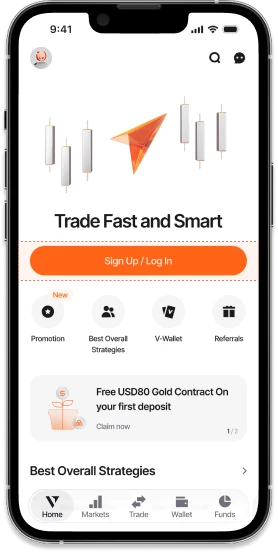
01
Sign Up for a
Vantage Account
Or log in to your existing account.
For new clients, enter your phone number or email address for verification and sign up to access over 1,000 CFD assets.


02
Practise With a Vantage Demo Account
Get USD100,000 in virtual funds to practise your trades before going live.
Note: Demo account results are simulated and do not reflect live trading performance.
Or Open a Live Account
Explore seamless CFD trades under live market conditions.

03
Get Your Required Documents Ready
To create a Vantage Live Account, you'll need to provide one of the following documents and then follow the on-screen instructions:
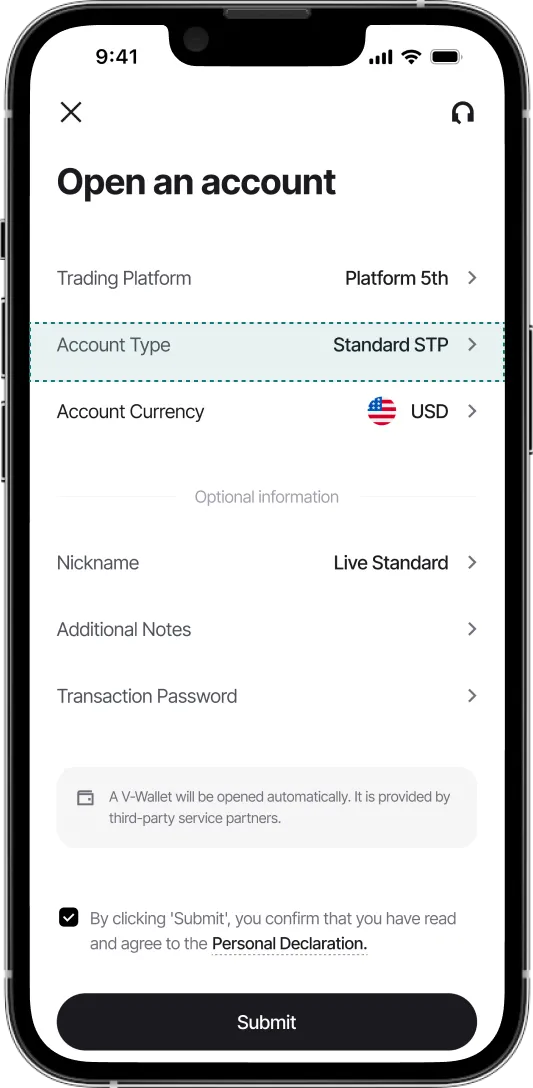
04
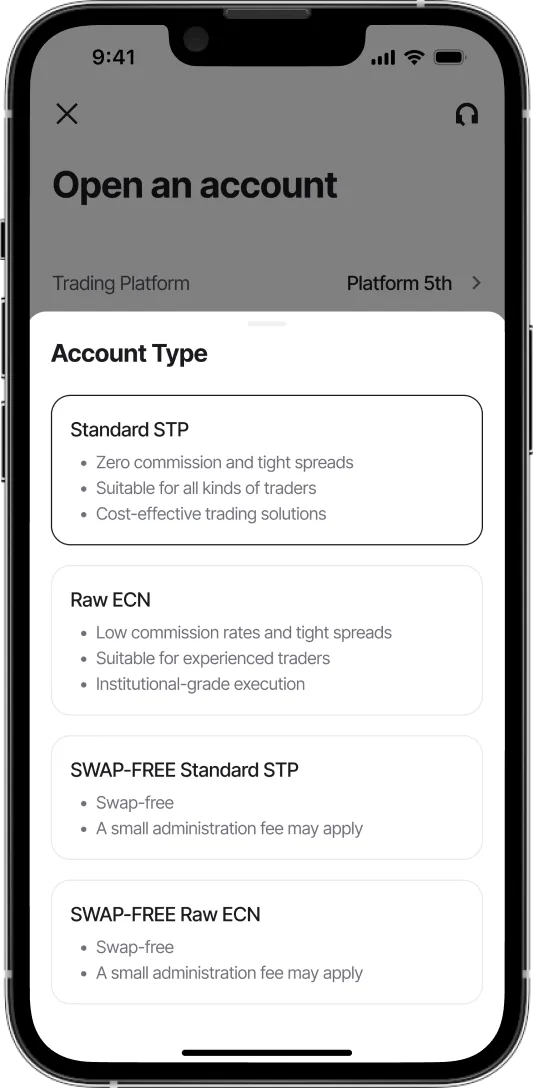
Various Vantage Account Types to Choose From
There are five Vantage Live Account types to suit your trading goals:
05
Submitting Your Live
Account Application
After submission, a confirmation email for your proof of identity will be sent within 24 hours.
Note: Account approval is subject to verification and Vantage's eligibility criteria.
01
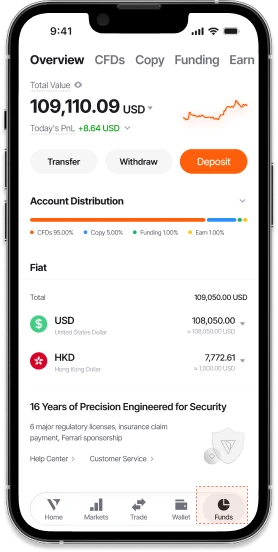
Deposit in Fiat or Digital Currency
Fund your account with fiat or digital assets and manage multiple currencies in one place.


02
Easily Switch Between Two Trading Modes
CFDs Mode
Select CFDs Mode to place CFD trades.
Copy Mode
Switch to Copy Mode to follow a Signal Provider.
One-Tap Trading
Execute orders quickly with just one tap.
03
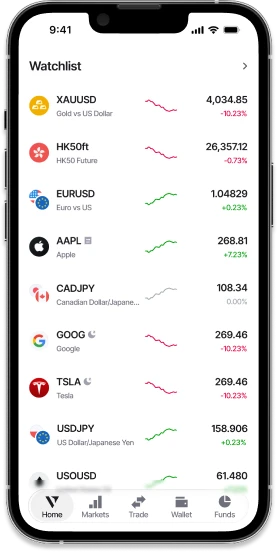
Personalise Your Watchlist
Add your favourite assets for easy access on the go.
04
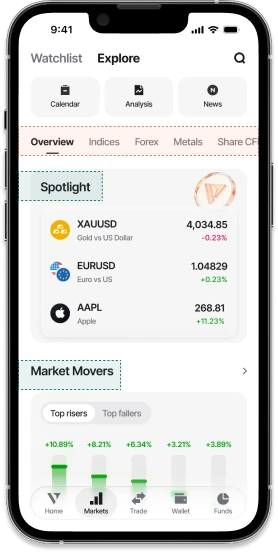
Explore Opportunities Anytime, Anywhere
From indices to share CFDs, access a wide range of markets as they move.


5A
Customise Order Display in CFDs Mode
Tailor your order details to suit your unique trading style.


5B
Explore Signal Providers in Copy Mode
Find Signal Providers that align with your goals based on your preferred Copy Mode and filters such as Highest Return, Most Copied, and Highest Win Rate.
Note: Past performance of Signal Providers is not indicative of future results.
06
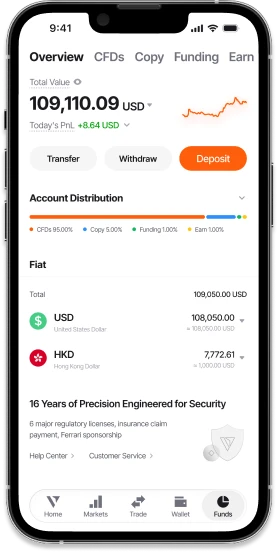
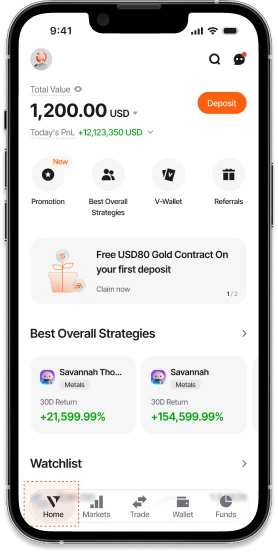
Track Your Performance
Monitor your total value and daily gains or losses at a glance.


1A
Set Up an Order in CFDs Mode
Choose your order type, number of lots, take-profit and stop-loss levels, then tap to place order.
Vantage Pro Tip: Add the candlestick chart to review price movements in real time without leaving the order screen.


1B
Copy a Signal Provider in Copy Mode
Check out a Signal Provider's individual performance over a specific time period before choosing to copy them.
Note: Past performance is not indicative of future results.


2A
Close Your Position in CFDs Mode
Conveniently close positions or alter orders at any time, subject to market availability.
2B
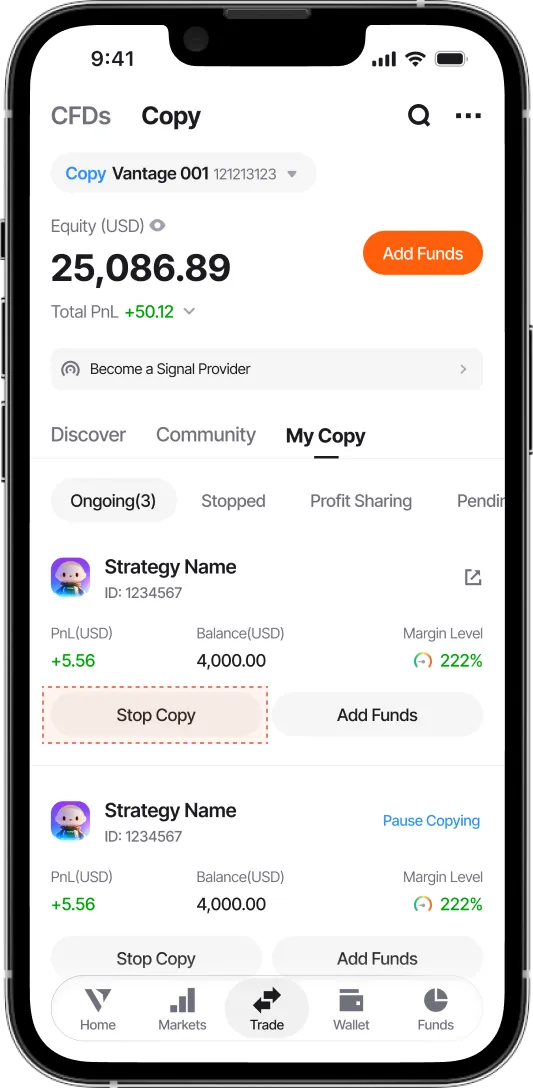
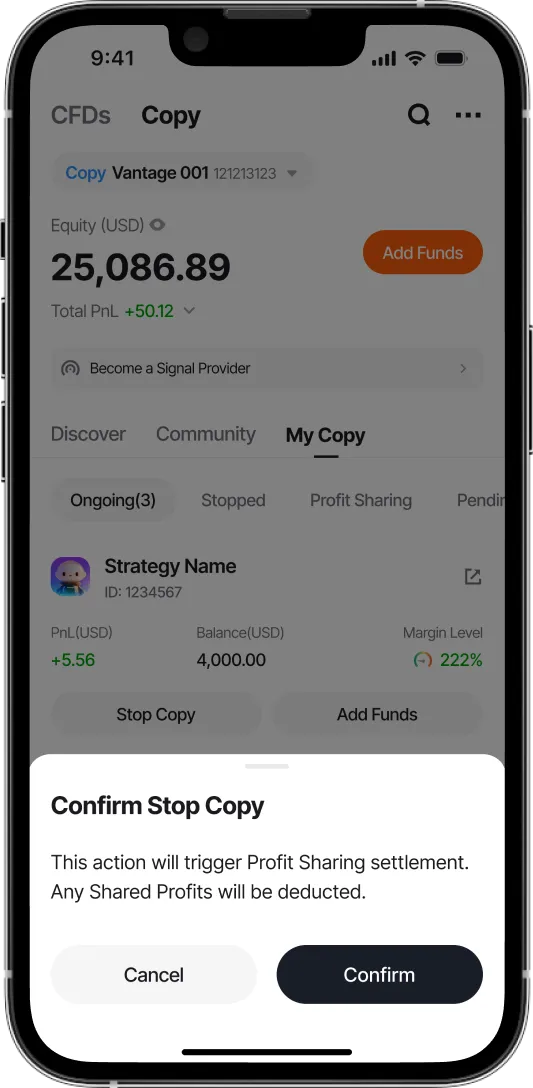
Stop Copying in Copy Mode
Conveniently stop copying Signal Providers anytime you like.
03
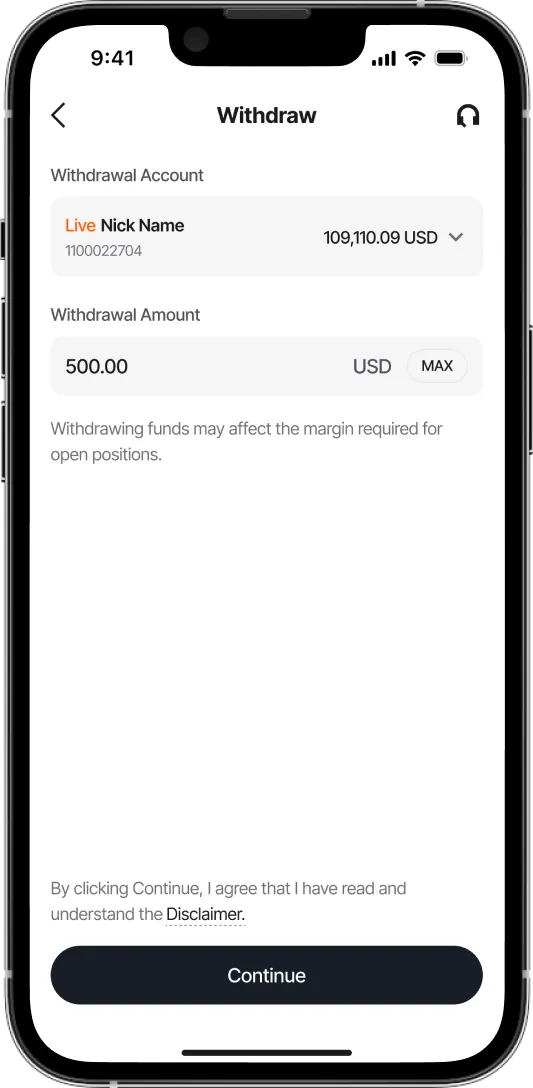
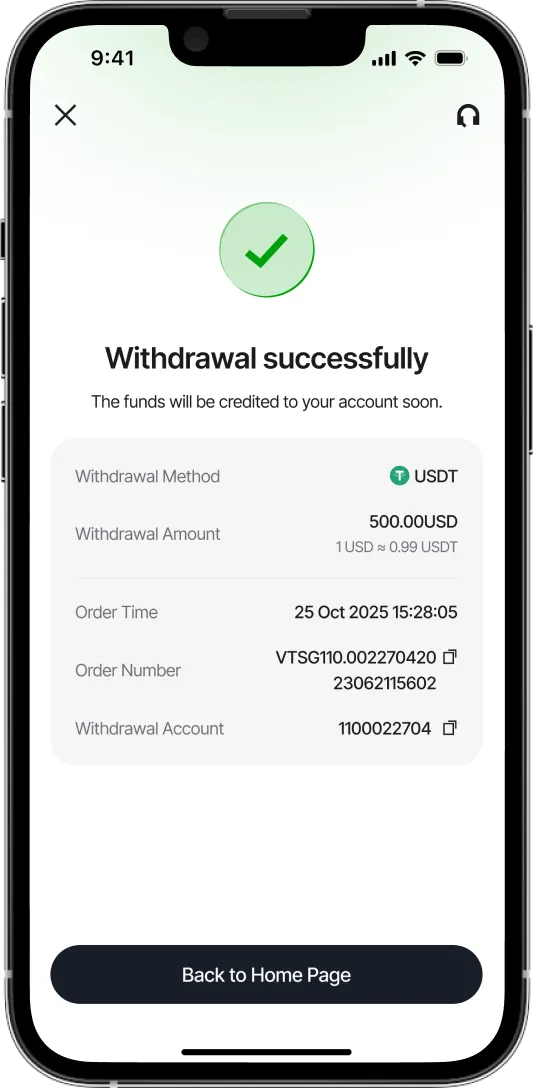
Withdraw Funds Effortlessly
Withdraw funds securely in just a few taps.
Note: Processing times may vary depending on your payment method.
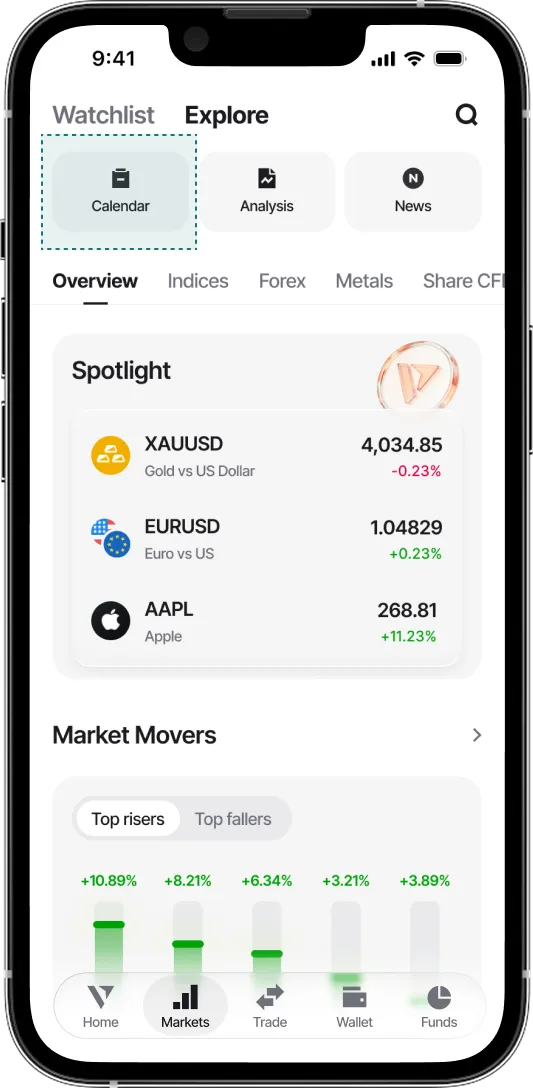
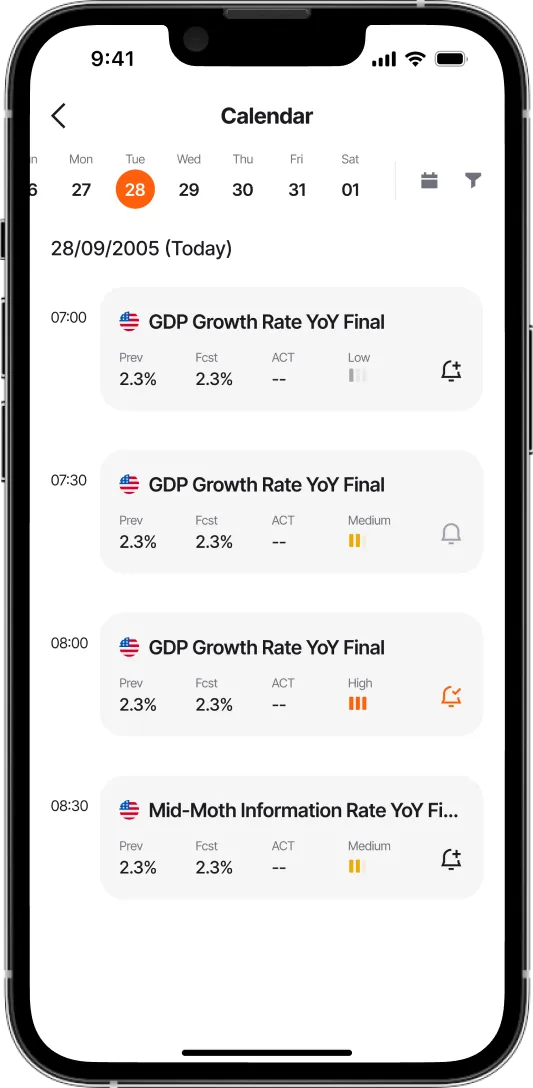
01
Browse Economic Calendar
Stay updated on current and upcoming economic events to inform your trading decisions.
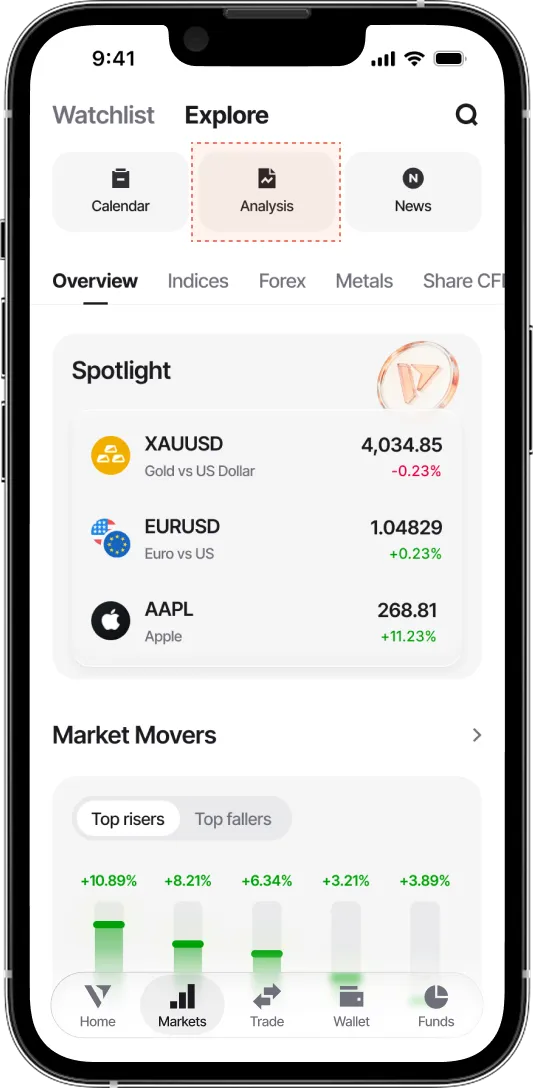
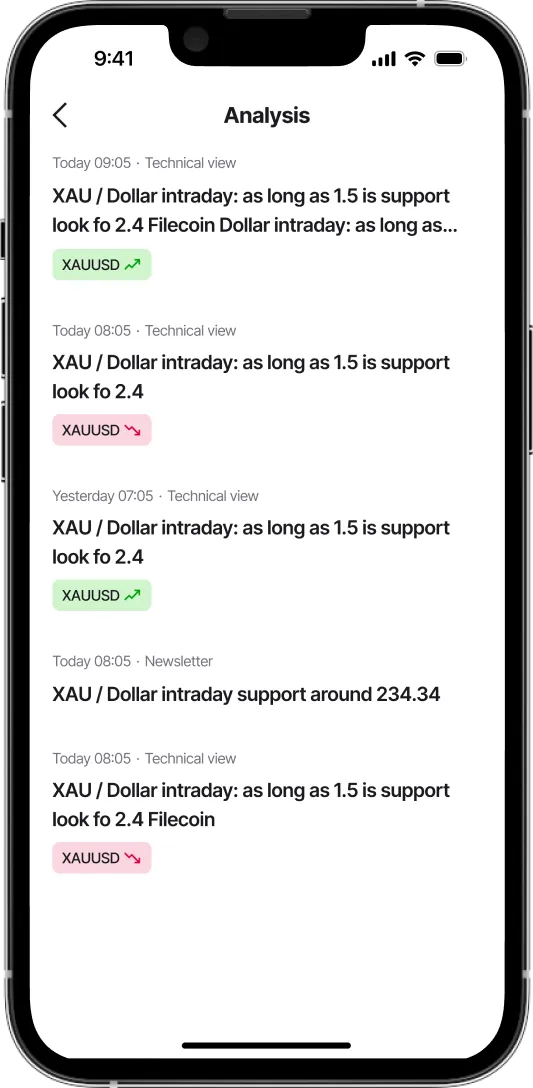
02
Market Analysis & Insights
Access timely market and technical analysis across major indices, digital currencies, and more—available exclusively to registered clients.
Note: This is for informational purposes only and does not constitute investment advice.
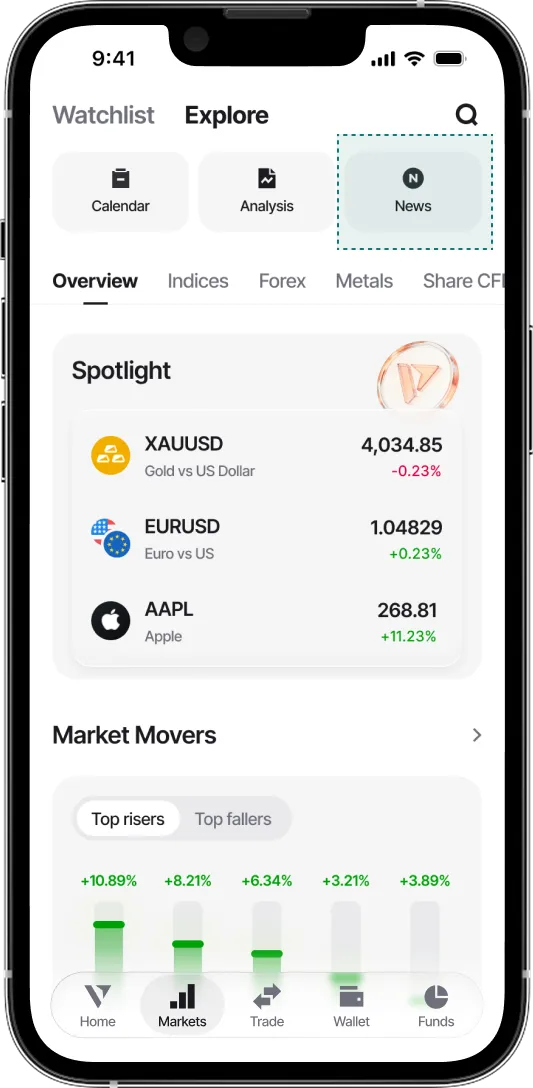
03
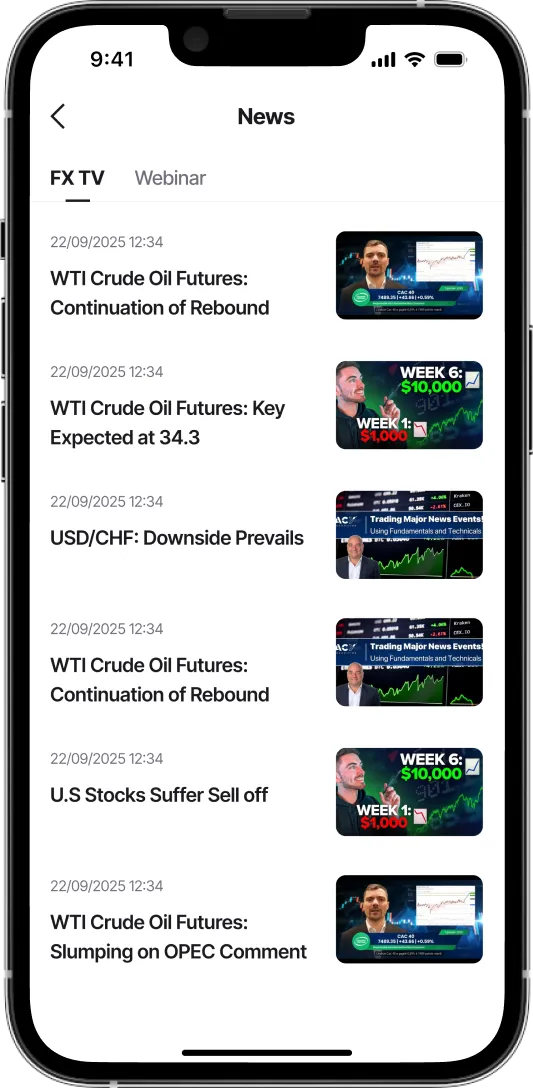
Learn From the Experts
Explore breaking forex news and expert-led webinars in the Vantage App.
04
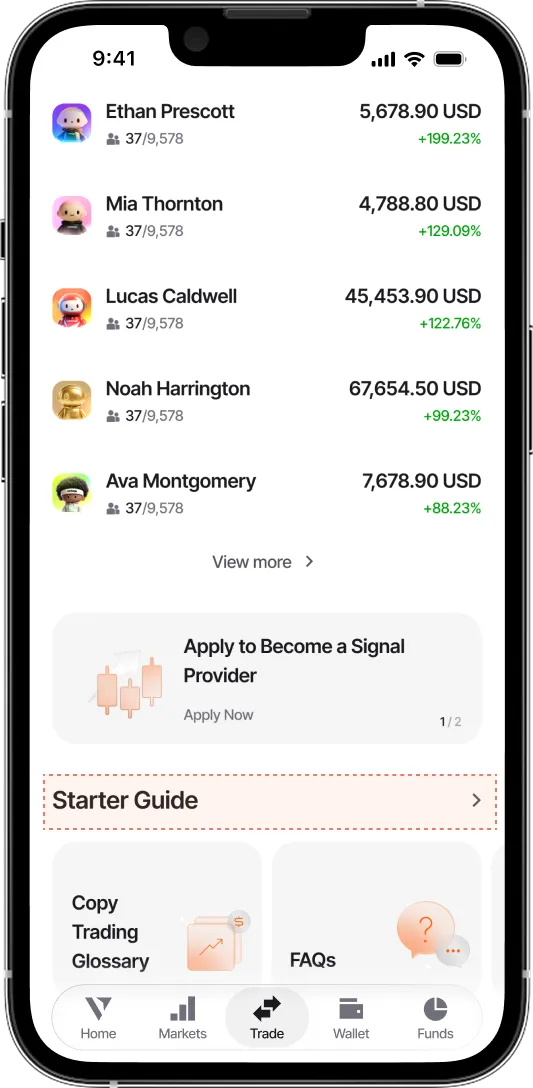
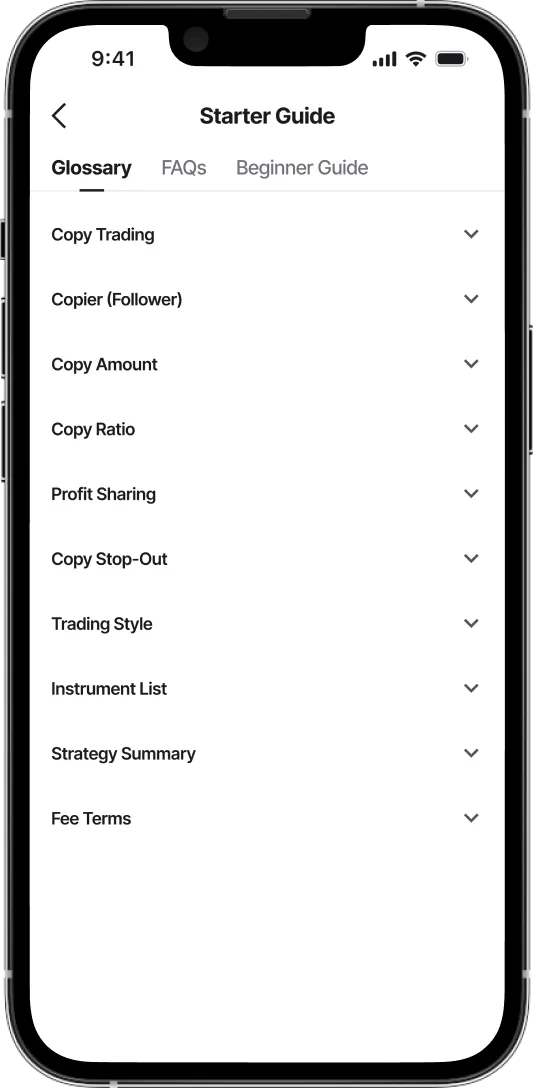
Explore Copy Trading
Enhance your knowledge base about copy trading with our in-depth reader guides, glossary, and FAQs.
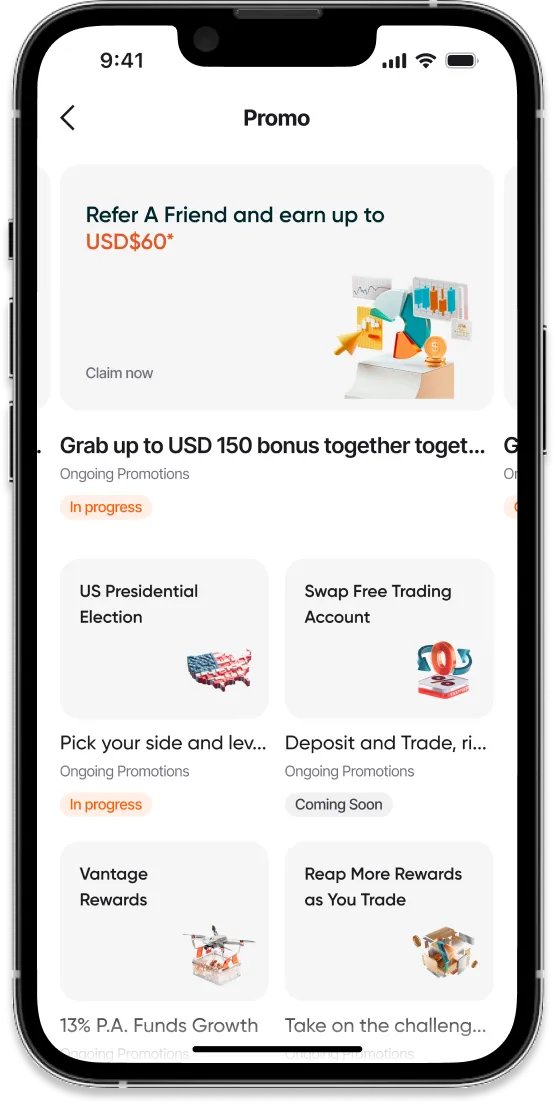
01
Explore Our
In-App Promotions
Access exclusive in-app promotions when you trade with the Vantage App.
Note: Promotions are subject to eligibility and terms. T&Cs apply.
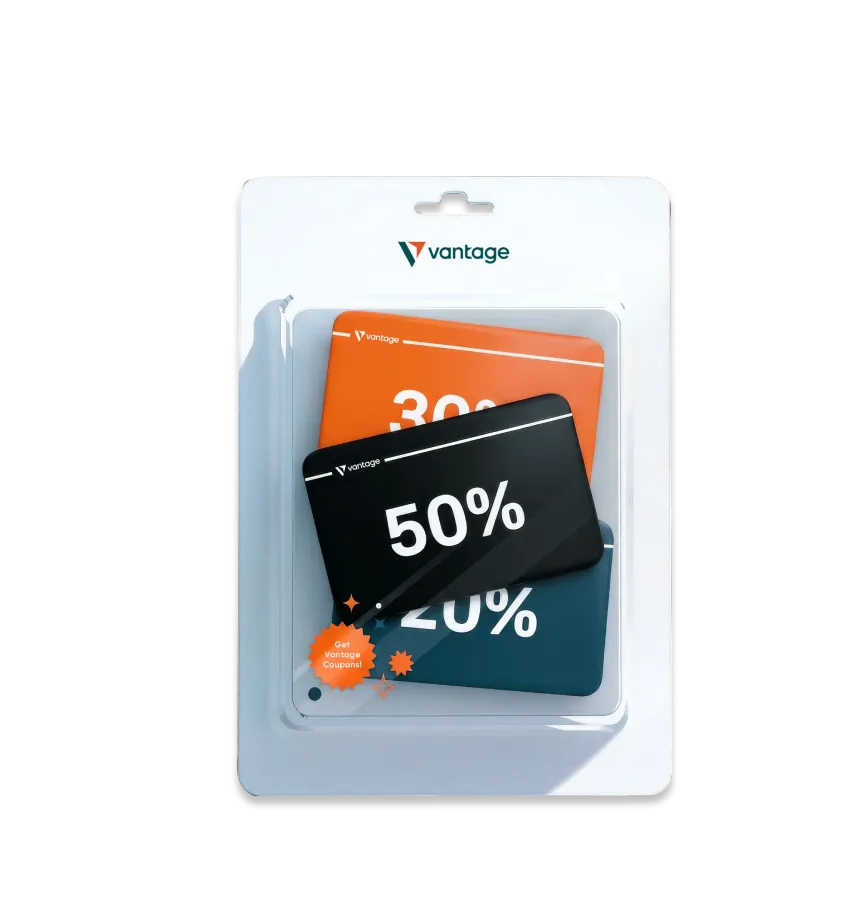
02
Available
Coupons & Vouchers
Redeem trading coupons and vouchers, subject to eligibility and validity period:
-

-
Click on Profile icon, and Tap on Coupons
-
View active, used & expired coupons
Tap Redeem for available coupons


Tap Redeem for available coupons
03
Access Your
Vantage Coupons
Find all your coupons in one place in your Profile on the Vantage App.
-
-
Click on Profile icon, and Tap on Security
-
Turn on 2FA for enhanced security


01
Secure Your Vantage Account
Set your passwords and turn on 2FA to better protect your account now.
-
-
Click on Profile icon, and Tap on Partially Verified
-
Complete Levels 1 - 3 to become fully verified


02
Verify Your Account for Higher Limits
Progress through verification levels 1 to 3 to unlock higher deposit and trading limits.
-
-
Tap on the three dots in top-right corner, and Tap on Leverage
-
Customise to your preferred leverage


03
How to Change Leverage in Vantage App
Vantage's leverage starts at 1:100 but it can be increased to a maximum of 1:2000, depending on your account eligibility.
Note: Higher leverage increases both potential gains and potential losses. Please ensure you understand the risks before adjusting your leverage.
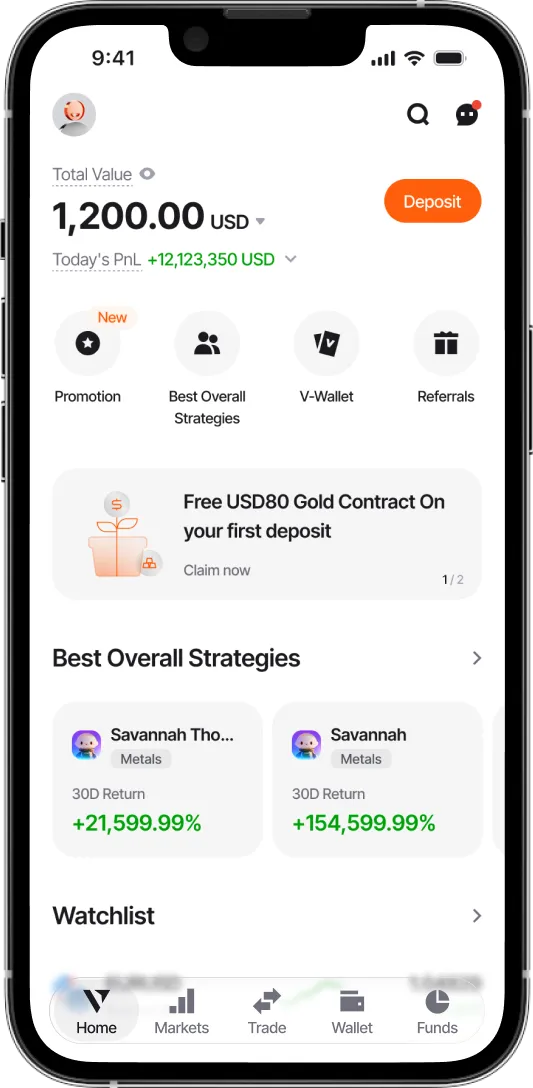
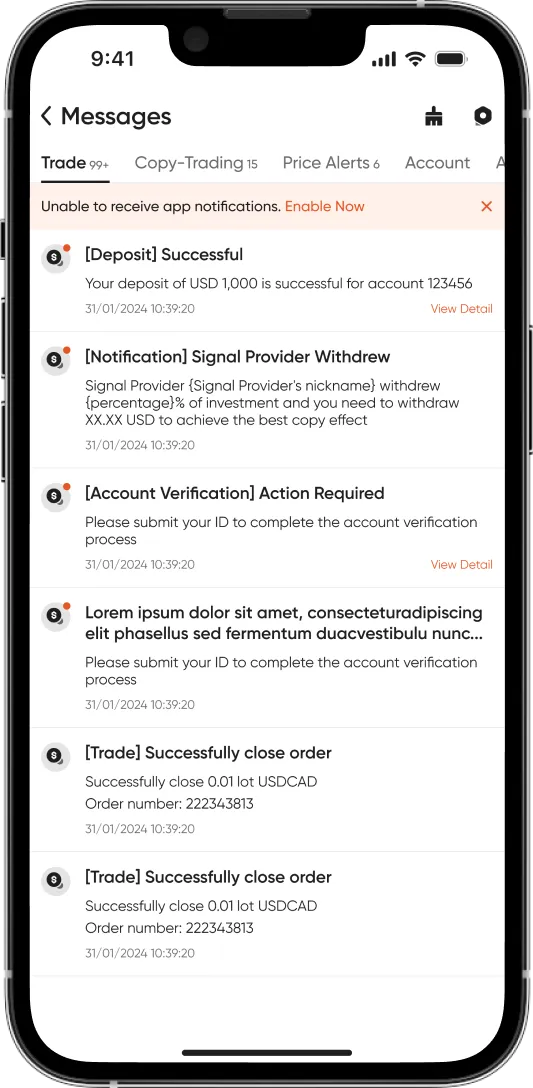
04
Stay Up to Date
Keep up with trade updates, price alerts, announcements, and other account messages.
-
-
Click on headphone icon in top-right corner
-
Tap on Customer Support to access our live chat


05
Get Help Anytime
Browse the FAQs or chat 24/7 with our Customer Support whenever you need assistance.
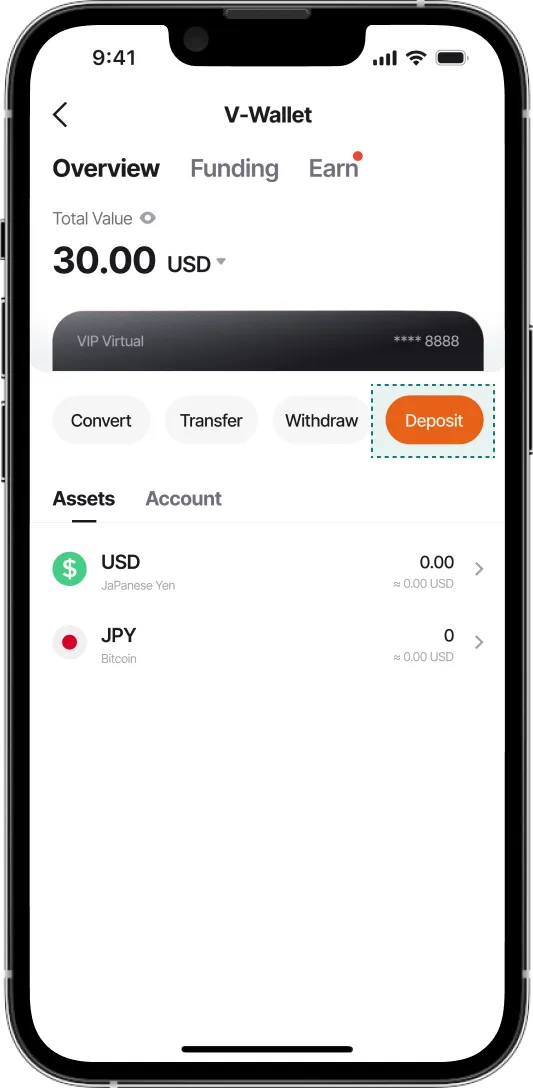
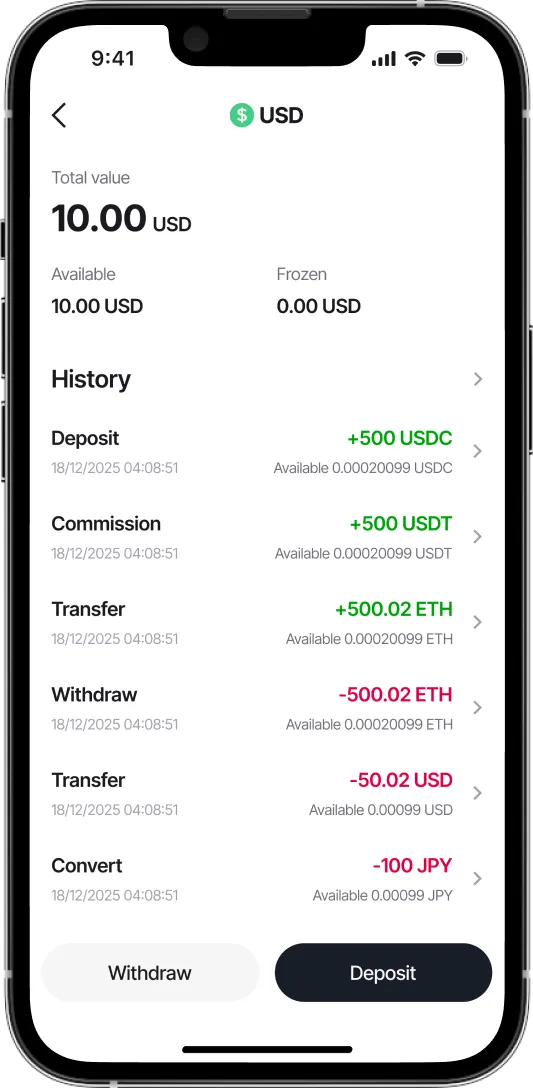
01
Your Funds
Store, manage, and exchange digital currencies securely and conveniently in one trading platform.
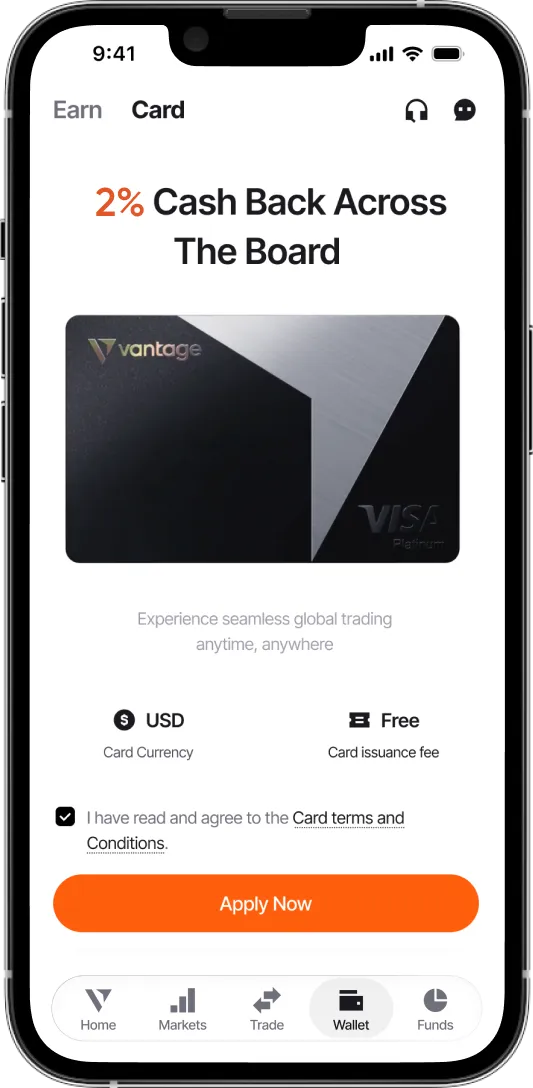
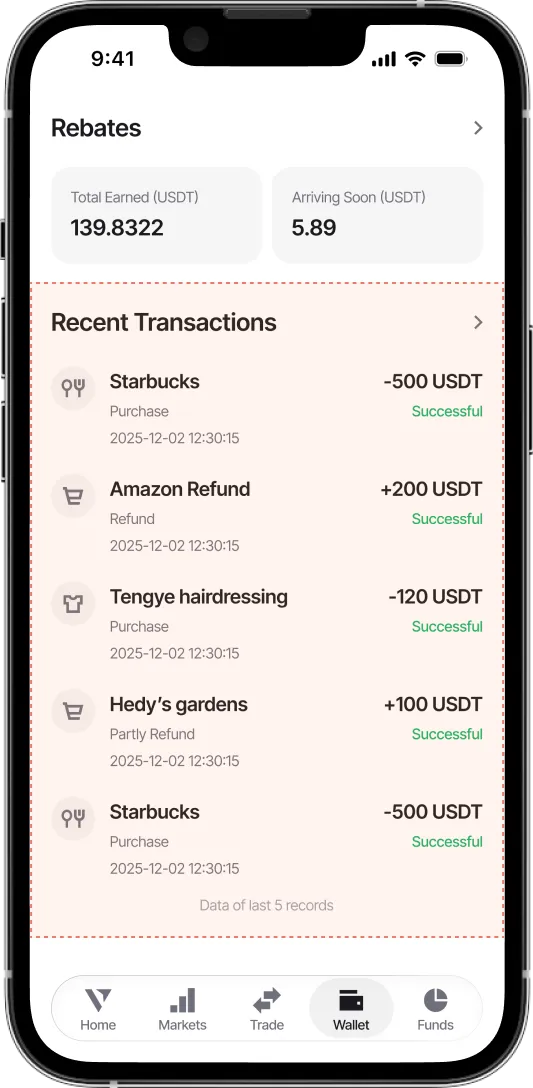
02
Earn More With Vantage Card
Get up to 2% cashback on eligible daily transactions* when you pay with Vantage Card (supports Google Pay).
*Terms and conditions apply.
03
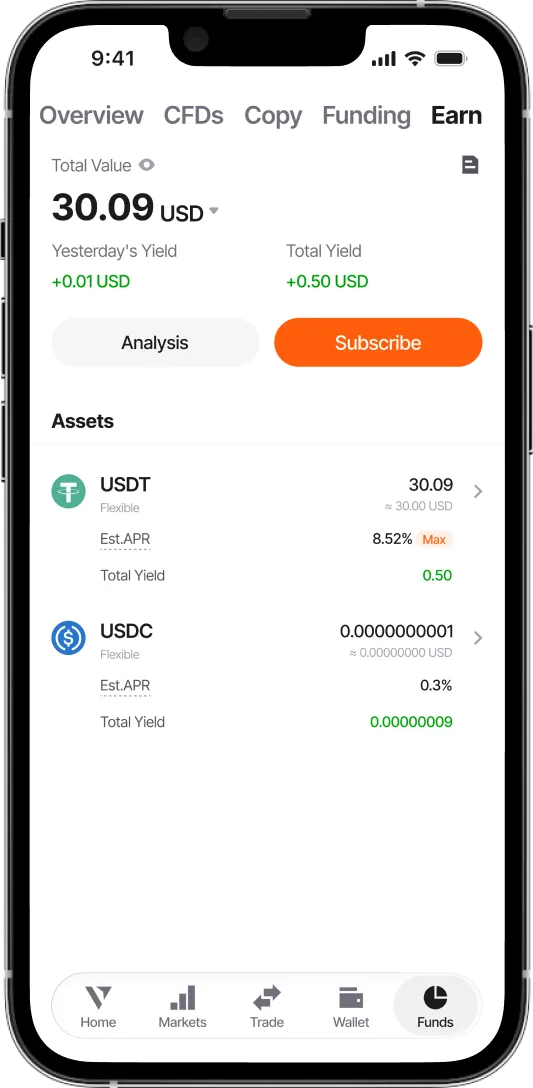
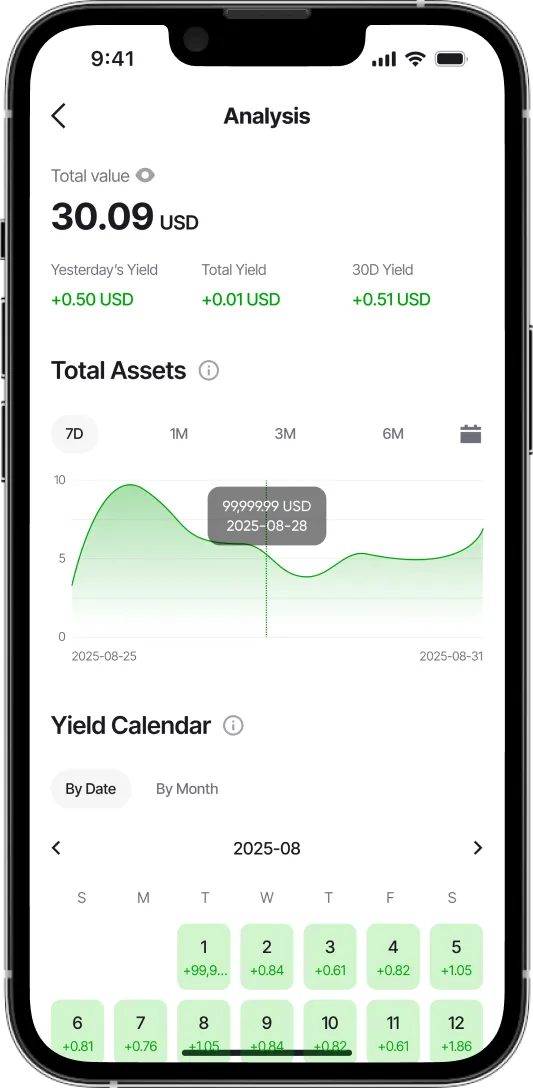
Flexible Investments, Daily Yield
Put your digital assets to work when you deposit and subscribe to eligible products within the Vantage App.*
*Terms and conditions apply.